A little less clicking. A little more story.
Let the story
carry you on.
One chapter becomes the next. A quieter page, a comfortable layout, and a place to pick up where you left off.
For desktop · Chrome 120+ / Firefox 140+
Reading on your phone? Install GlideRead in a supported desktop browser to use the extension.
Explore the demo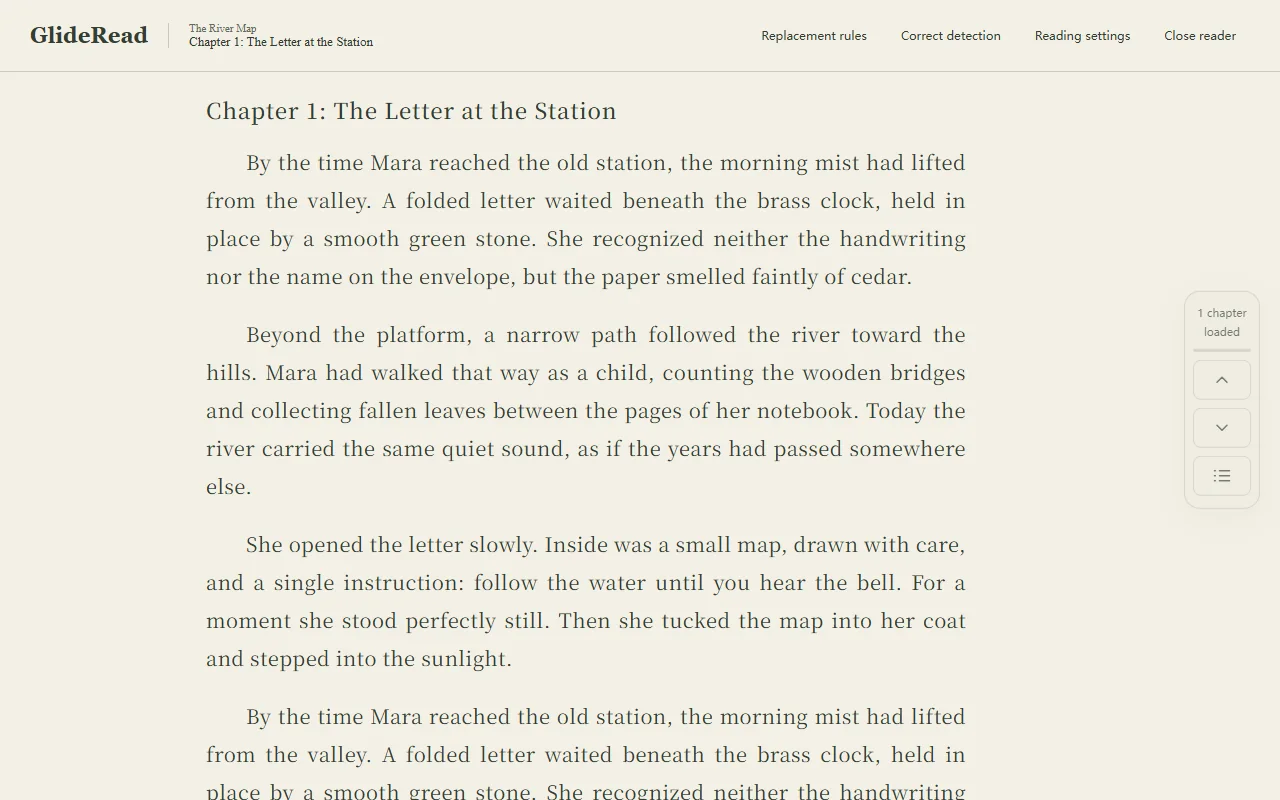
Keep the story moving
As you approach the end, the next chapter from the same site joins the page. Fewer interruptions, more reading.
Make yourself comfortable
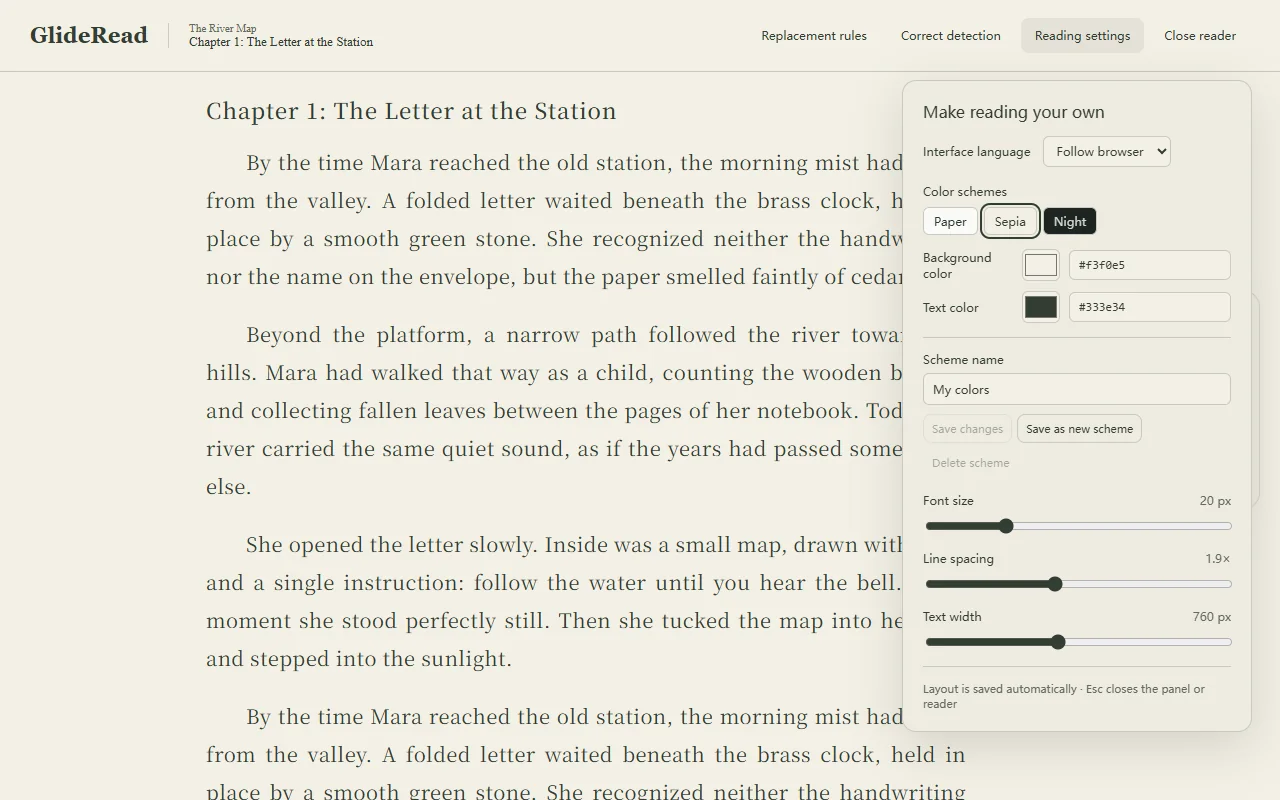
Adjust type size, spacing, width, and colors. Save a palette that feels right for you.
Come back to your place
Your reading progress stays in this browser, on this device. Return to a saved chapter whenever you like.
A space of your own
Settle into the page.
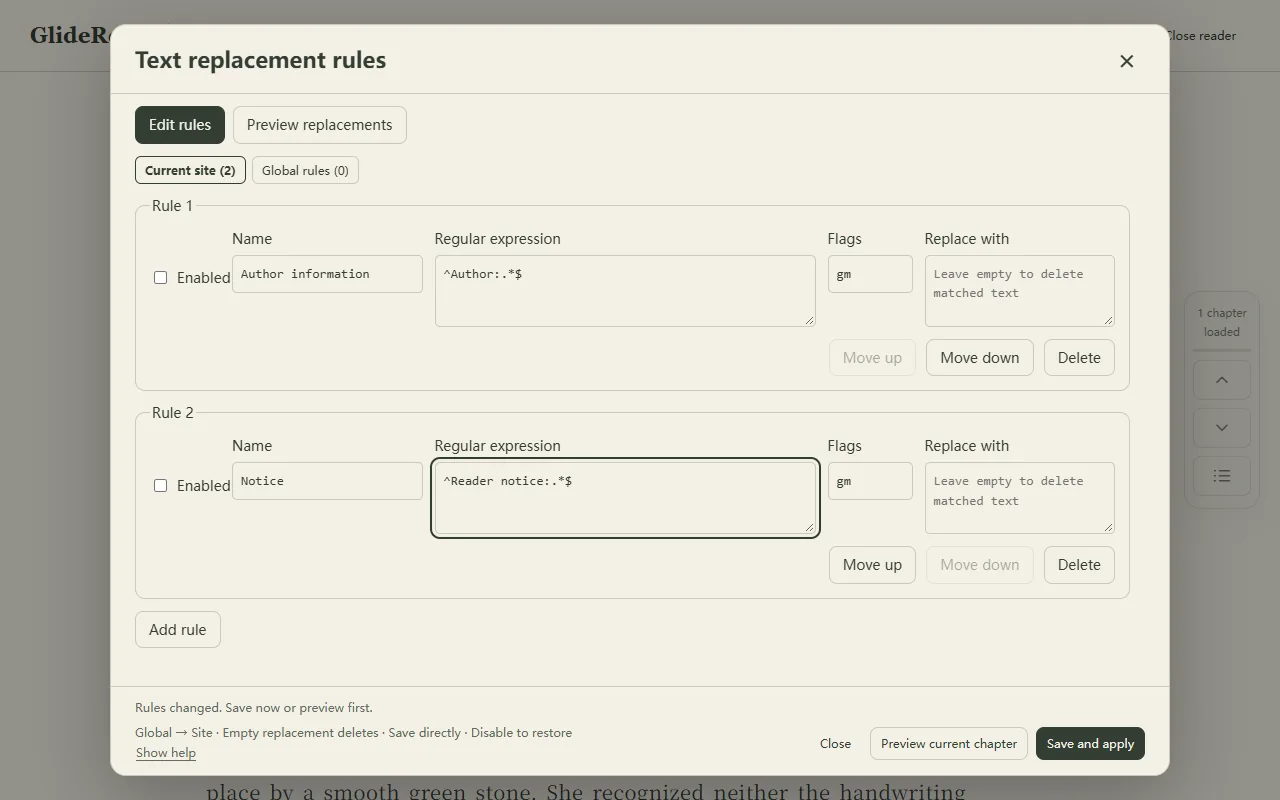
Comfort is personal. Change the layout, choose softer colors, or clean up recurring text with rules you control.
Find your reading light
Paper, sepia, or night. Fine-tune the background and text, then save your own color scheme.
Keep what you came to read
Preview optional text replacement rules before saving. Apply them to one website or all authorized sites.
How it works
From webpage to reading space.
Three small steps. Then, back to the story.
- 01
Install GlideRead
Choose Chrome or Firefox on your computer and install from the official extension store.
- 02
Choose a chapter
Open a novel chapter, click the extension icon, then choose “Open current page”. Grant access to this website.
- 03
Read at your pace
Scroll toward the bottom to continue into the next chapter. Adjust the reading settings whenever you like.
Permission, on your terms
Your place in the story stays with you.
No GlideRead account. No developer telemetry. Progress, settings, and rules stay in your browser. You choose which websites the extension can access.
Loading more chapters contacts the original website and may use your existing site session. A temporary tab, if you approve it, runs that website normally.
Privacy policyBefore you turn the page.
Does it work on every novel website?
Compatibility depends on the page layout and access restrictions. You can correct the chapter text and next-chapter link when detection needs help.
Does GlideRead translate novels?
No. English, Simplified Chinese, and Traditional Chinese are interface languages. The original novel text is preserved.
Is my progress synced between devices?
No. Progress, settings, and rules are stored locally in this browser. You can delete reading records or clear them in the extension popup.
Can it bypass logins or paywalls?
No. You must use your normal access to the original website. GlideRead does not bypass logins, paywalls, or verification.
Can I use it on mobile or in private windows?
GlideRead is designed for supported desktop browsers. Private and incognito windows are not supported. The website itself works on phones.
Original demonstration story
Try a chapter, then keep going.
An original three-chapter sample lets you try the reader and continuous loading. Install the extension first to experience reading mode.